Preview Your Created Waiver
Follow the steps below to preview your created waiver from Waiver Editor and Waiver List.
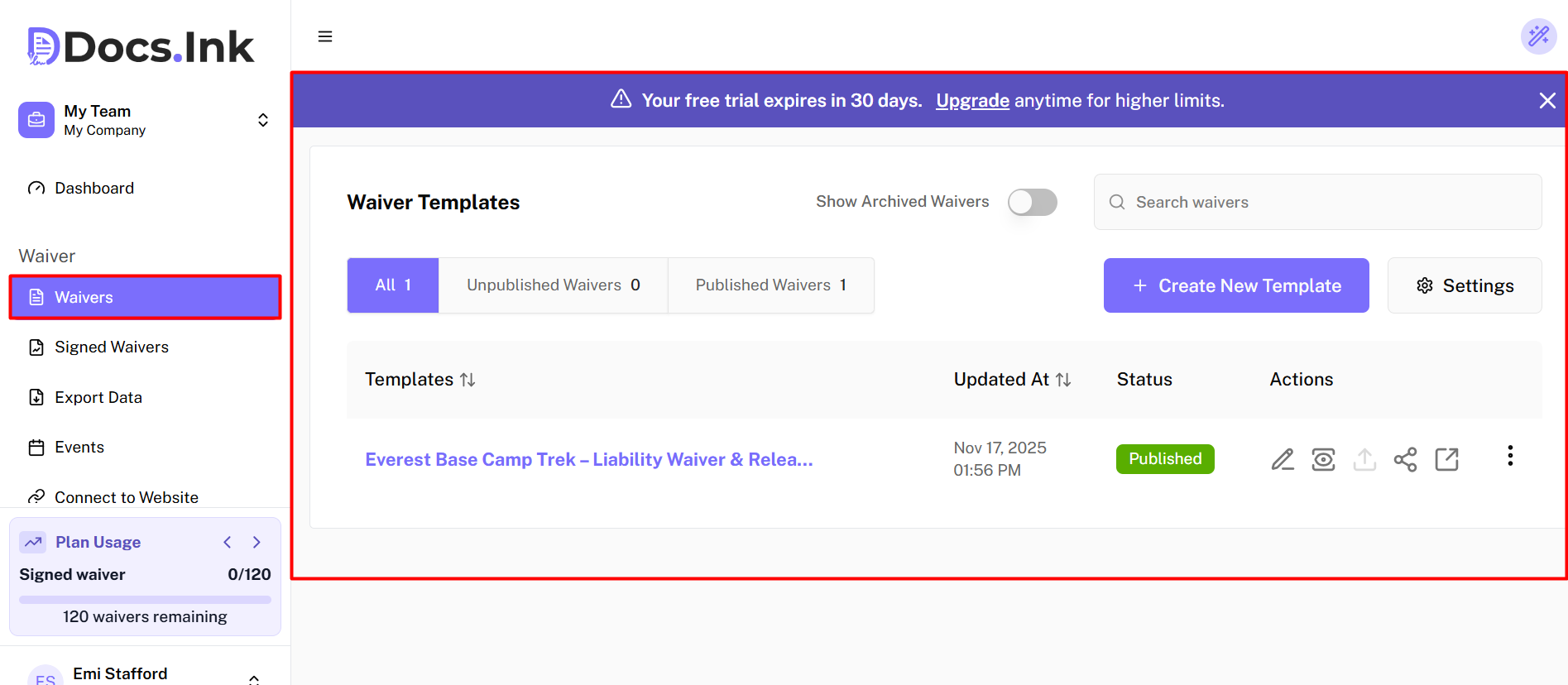
Navigate to Waivers Tab from Dashboard
Once you’re in Waivers Tab, → Click on the Waiver you want to preview from the Waivers List.
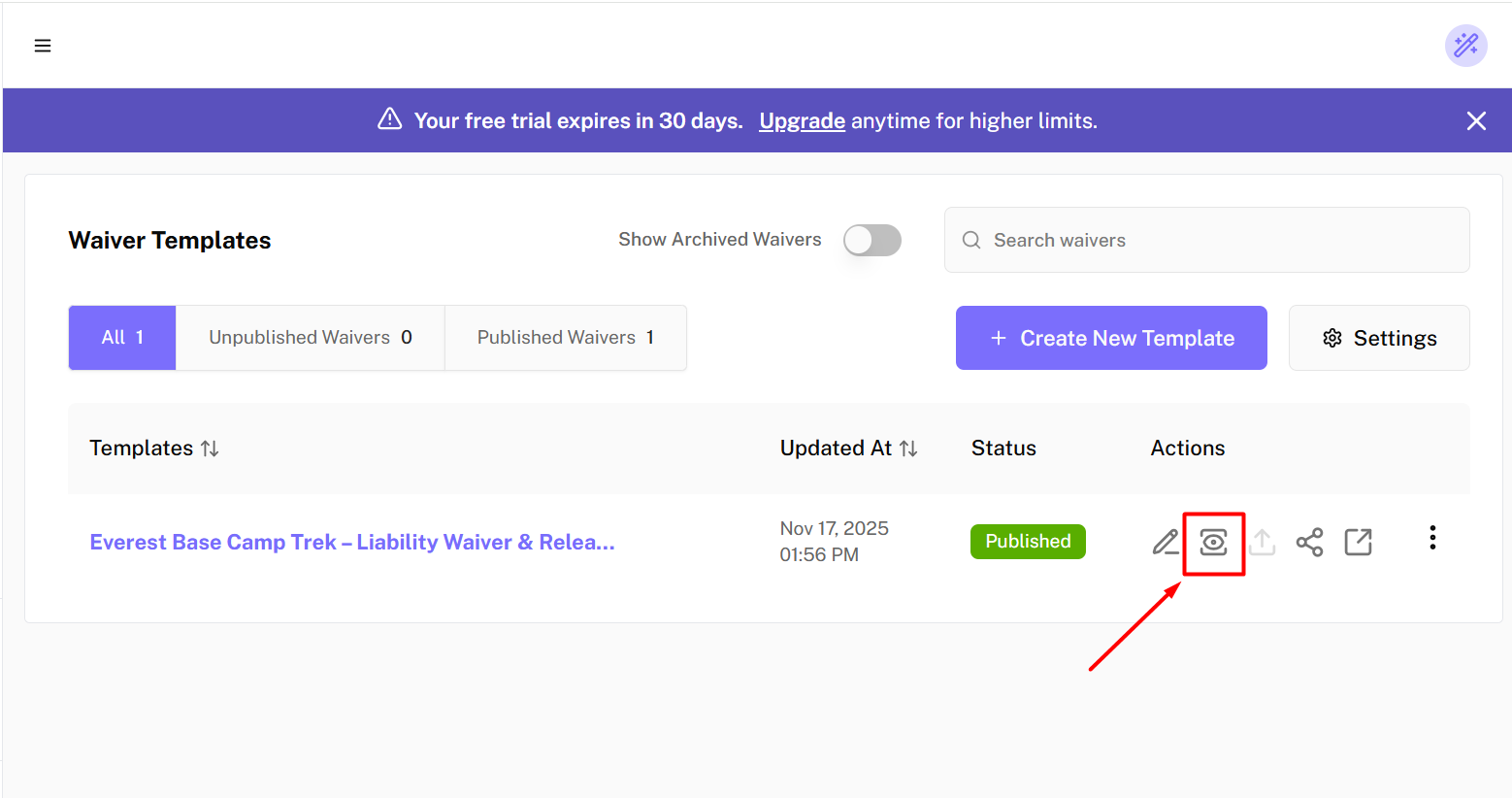
Preview from Waiver List
→ Click on Preview button in the waiver list to see how your waiver looks.
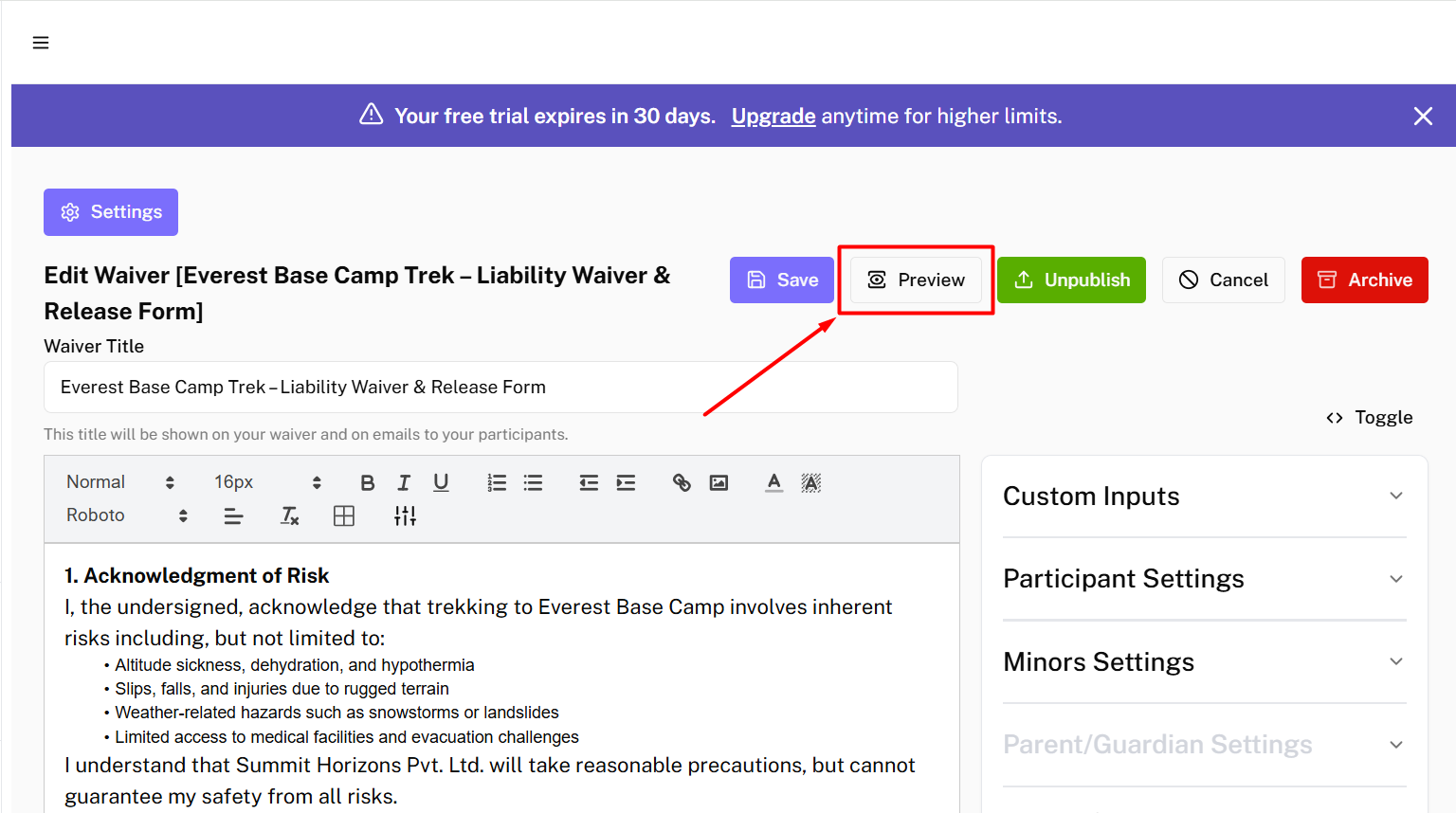
Preview from Waiver Editor
→ Click on Preview button on top of the waiver editor to see how your waiver looks.
You can always edit your waiver later by navigating to the Waivers tab, selecting your waiver, and saving the changes.
Last updated on