Share Your Published Waiver
Follow the steps below to Share your published waiver for signing.
You can only share Publised Waivers for signing.
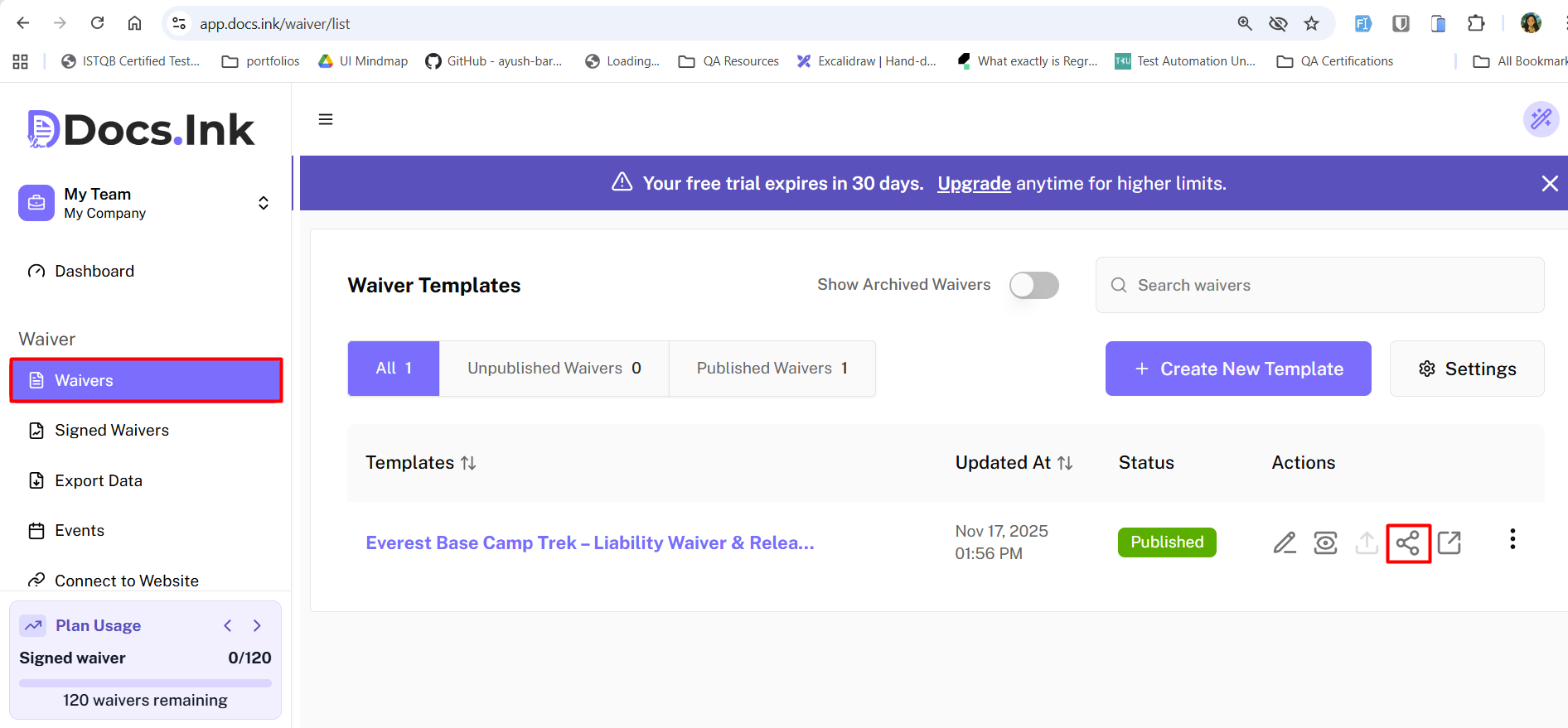
Navigate to Waivers Tab from Dashboard
Once you’re in Waivers Tab, → Click on the Share icon of the waiver you want to share from the List.
Choose Sharing Method
→ Choose your preferred sharing method from the available options (e.g., Copy Link, Download QR Code, Share Link directly).
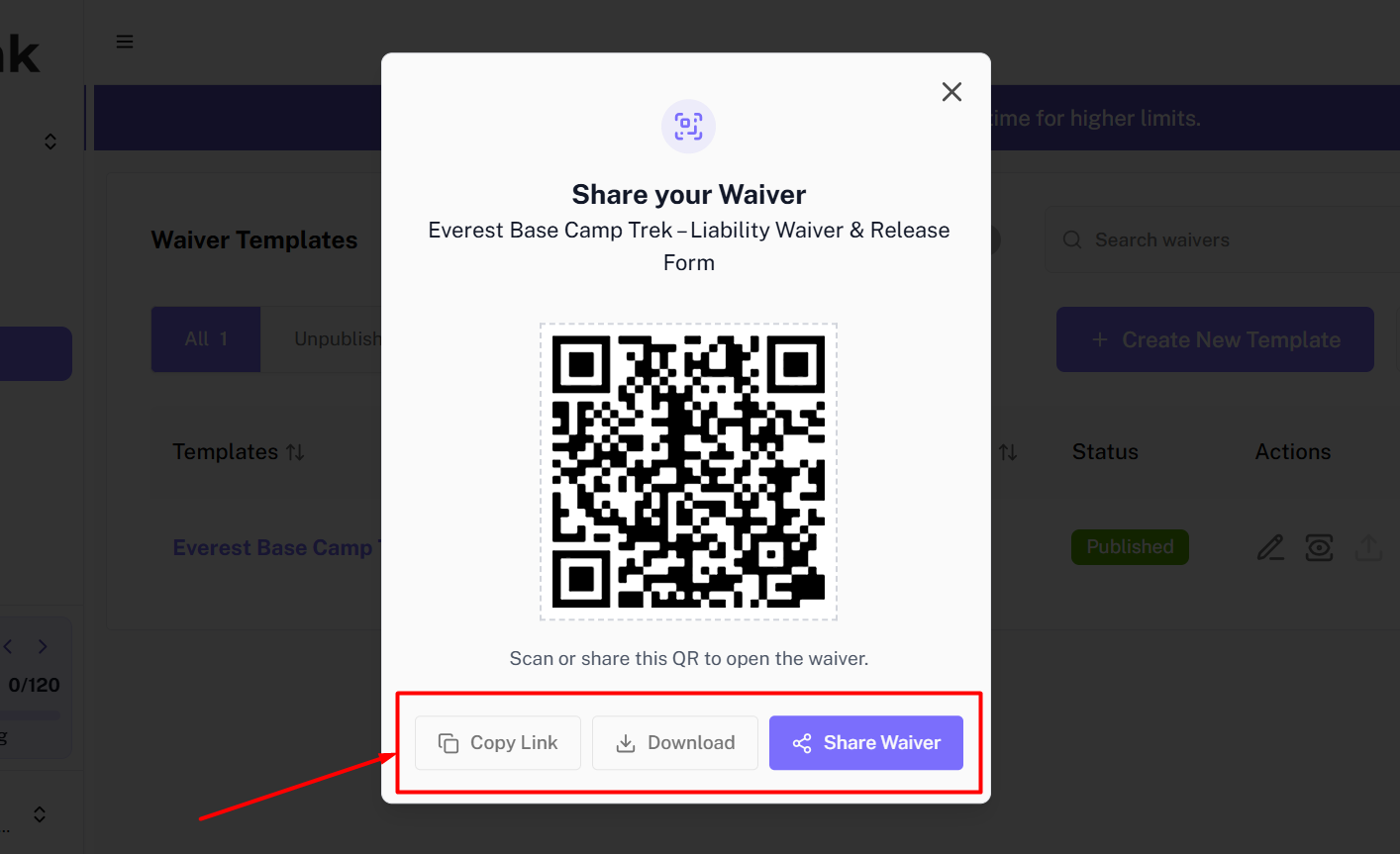
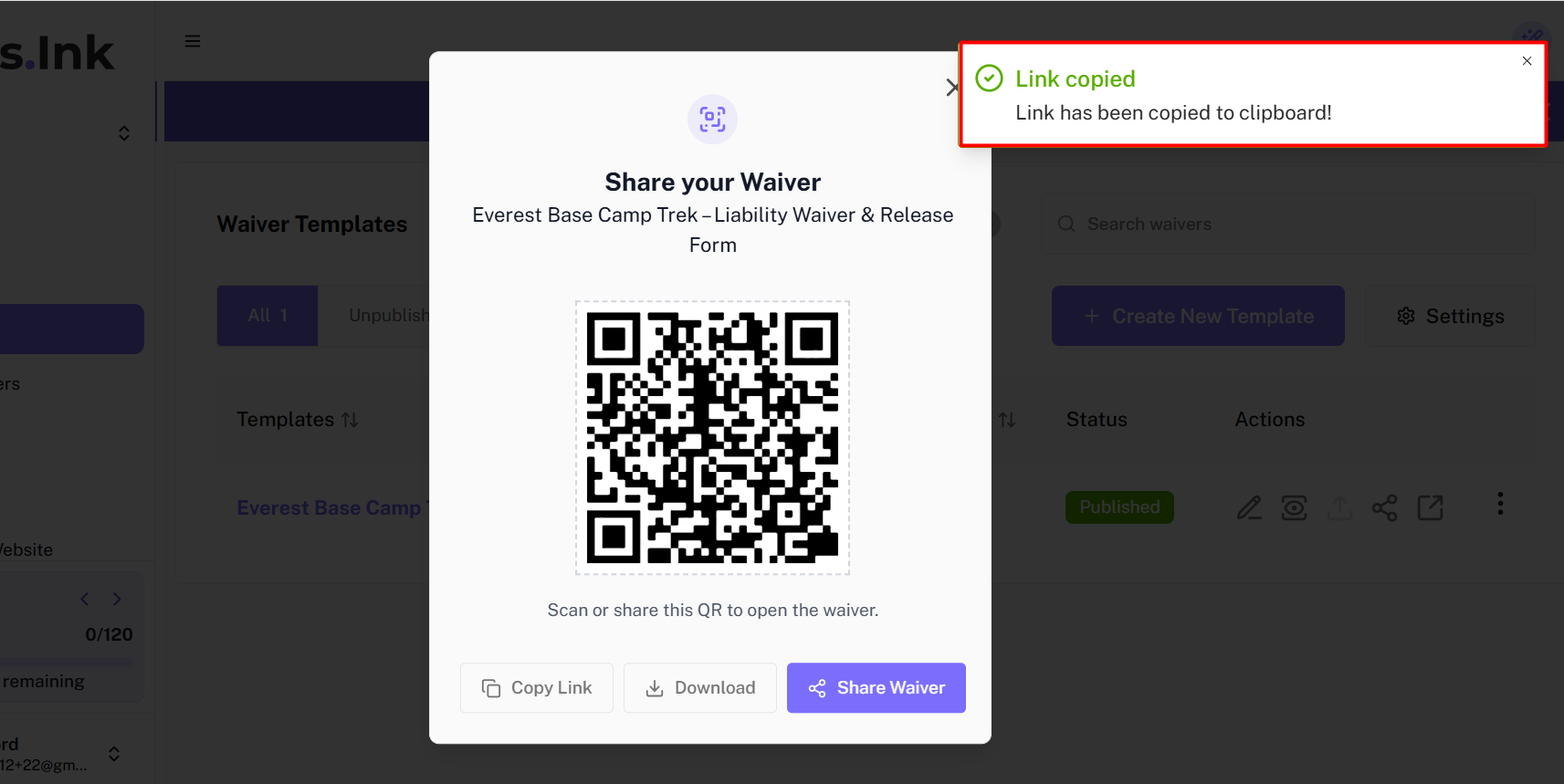
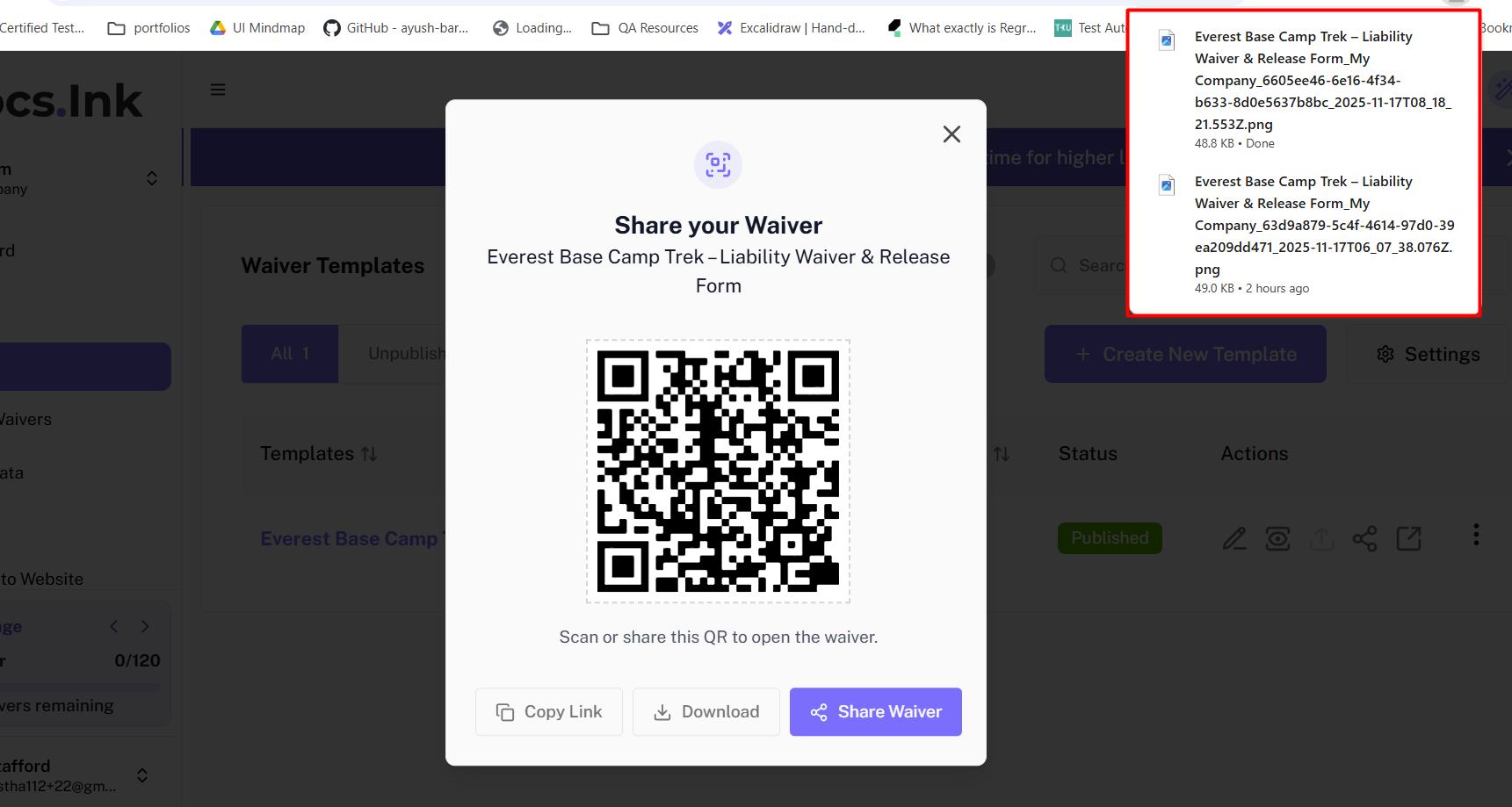
Copy Link or Download QR Code
If you choose this option, you can directly copy the waiver link to your clipboard or download the QR code image to share it with your participants.
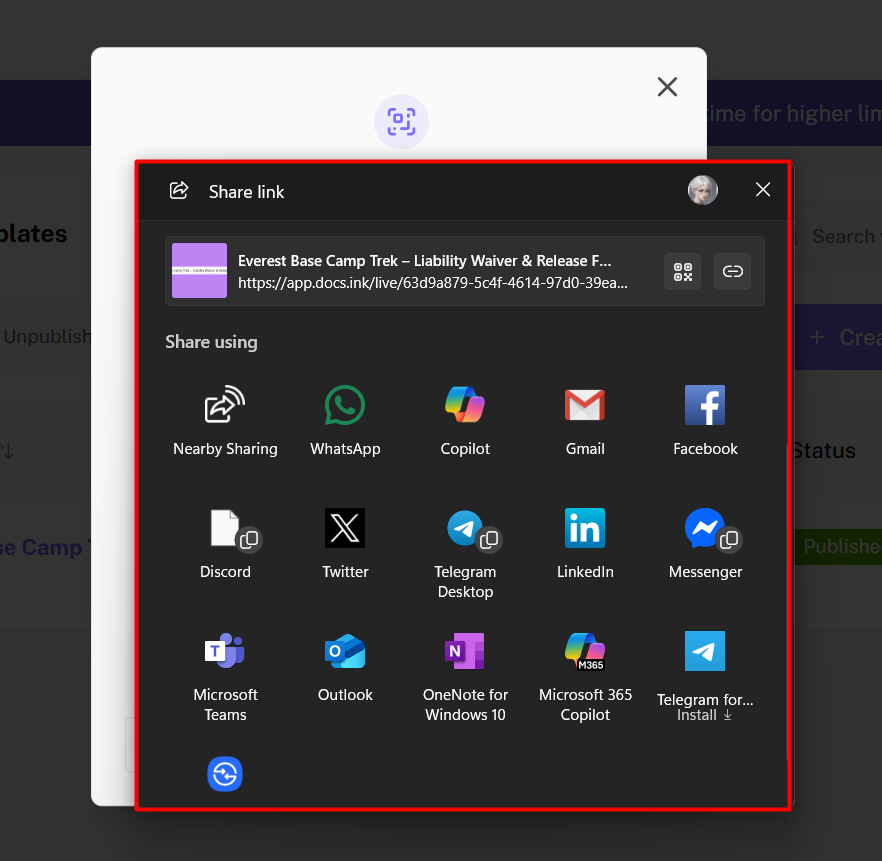
Share Link Directly
If you choose this option, you can share the waiver link directly via email or social media platforms.
After sharing the waiver link
After sharing the links for signing, you can manage the signed waivers from the Signed Waivers tab in your dashboard.
You can check in participants, preview the signed waivers, or download the documents in PDFs as needed from the Signed Waivers tab.
Last updated on